
Wifi booster 53
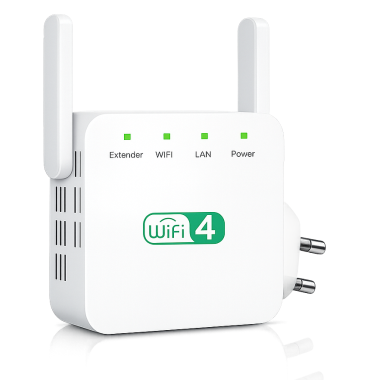
Strong & Extended Range
Fast Speeds for All Devices
Universal Compatibility
Simple Setup
Select package
Billing information
customer info
Testimonials

Frequently Asked Questions
1. Where should I place the WiFi booster for best performance?
For optimal results, place the booster halfway between your router and the area with weak signal. Avoid placing it behind thick walls or near large metal objects.
2. Will this improve my internet speed or just coverage?
The booster primarily extends coverage and stabilizes your connection. In areas with weak signal, users often experience faster speeds because the connection becomes stronger and more reliable.
3. Can I move the booster after setup?
Yes. Once configured, you can unplug and reposition the device anywhere within your router’s signal range without repeating the setup process.
4. Does it create a new WiFi network?
The booster can either extend your existing network or create an extended network name, depending on your setup preference.
5. Is it safe to leave plugged in all the time?
Yes. The device is designed for continuous operation and uses low power consumption, making it safe and energy efficient for 24/7 use.
6. How many devices can connect at the same time?
The booster supports multiple simultaneous connections, including smartphones, laptops, smart TVs, gaming consoles, and smart home devices.
7. Will it work in apartments or multi-floor homes?
Absolutely. It is ideal for apartments, duplexes, and multi-story homes where WiFi signals struggle to reach certain areas.
8. What if I need help during installation?
Customer support and setup guidance are available to help you quickly get connected if you need assistance.